PopPom: Jelly Merge pc

Download PopPom: Jelly Merge for PC

Published by 上海游离逻辑智能科技有限公司

  • License: £1.99
  • Category: Games
  • Last Updated: 2026-11-15
  • File size: 11.15 MB

  • Compatibility: Requires Windows XP, Vista, 7, 8, Windows 10 and Windows 11

Download ⇩
Users Recommendation:

3/5

3
Based on 2 user votes.

Preview

->  ->  ->  

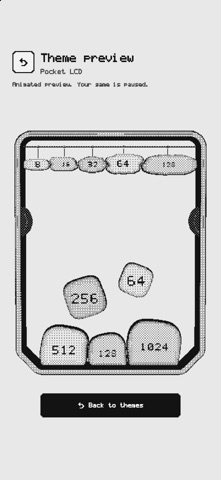
WindowsDen the one-stop for Games Pc apps presents you PopPom: Jelly Merge by 上海游离逻辑智能科技有限公司 -- Slide two matching numbers together. Pull back, choose your angle, and let a soft jelly bounce into the pile. PopPom is a 3D physics puzzle about making bigger numbers, finding room for the next shot, and watching one good match turn into a chain. Buying PopPom includes the full game. Trial limits have been removed. Existing players keep full access without another purchase.. We hope you enjoyed learning about PopPom: Jelly Merge. Download it today for £1.99. It's only 11.15 MB. Follow our tutorials below to get PopPom version 1.3.1 working on Windows 10 and 11.

Follow Tutorial below to use PopPom APK on PC:

  1. Download an Android App emulator.
    An emulator imitates/ emulates an android device on your computer, making it easy to install and run android apps from the comfort of your PC. We've listed the best below:
    1. Nox »
    2. Bluestacks »

  2. Install the Bluestacks.exe or Nox.exe Software emulator on your Windows PC.

  3. Run PopPom on PC:
    1. Once installed, open the Emulator app, type PopPom in the search bar and search.
    2. You will immediately see PopPom. Open it and click Install. The app will start Installing.
    3. To run the PopPom app on PC, open Emulator » "All Apps" » PopPom: Jelly Merge.

Get PopPom on Apple Mac


Download Developer Rating Score
Download Mac App 上海游离逻辑智能科技有限公司 2 3


Alternative Games apps

Other Apps from this Developer

keyboard_arrow_up