WindowsDen the one-stop for Navigation Pc apps presents you BlueBay Parking by NIKOLAS JAMES OLIVER -- Find Blue Badge and accessible parking across the UK with BlueBay.
BlueBay makes it easier to find disabled parking spaces, check local Blue Badge parking information and plan where to park before you arrive.
Whether you're travelling somewhere new, visiting a hospital, heading into town or simply looking for accessible parking nearby, BlueBay brings useful parking information together in one place.
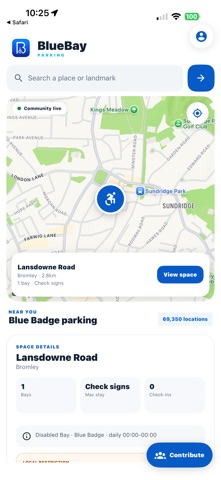
FIND ACCESSIBLE PARKING
• Discover Blue Badge and accessible parking spaces across the UK
• Explore nearby parking on an interactive map
• Search by postcode, street, town or landmark
• See useful information about individual parking locations
CHECK BEFORE YOU PARK
• View parking-space details and restrictions
• Check available local Blue Badge parking guidance
• See useful community parking information
• Open directions directly in Apple Maps
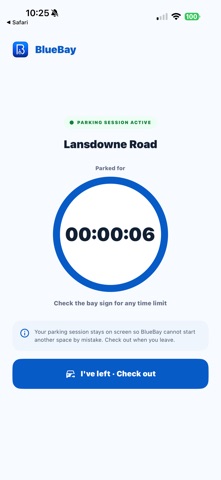
KEEP TRACK OF YOUR PARKING
Start a parking session and keep track of your time from BlueBay. On supported iPhones, your active parking session can also appear on your Lock Screen and Dynamic Island.
HELP IMPROVE BLUEBAY
Parking information can change.. We hope you enjoyed learning about BlueBay Parking. Download it today for Free. It's only 32.76 MB. Follow our tutorials below to get BlueBay Parking version 1.1.0 working on Windows 10 and 11.