Pixel Rugby pc

Download Pixel Rugby for PC

Published by Swipeglass

  • License: Free
  • Category: Games
  • Last Updated: 2026-09-26
  • File size: 8.06 MB

  • Compatibility: Requires Windows XP, Vista, 7, 8, Windows 10 and Windows 11

Download ⇩
Users Recommendation:

5/5

5
Based on 2 user votes.

Preview

->  ->  ->  

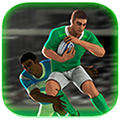
WindowsDen the one-stop for Games Pc apps presents you Pixel Rugby by Swipeglass -- One hundred nations, each with its own flag and anthem, and a world ranking that remembers every result you get. You attack, the computer defends. Your five players run up the pitch across five lanes. To avoid defenders, pass to the lane above or below you, then dive over the line for the try. The other side's possessions are simulated, so a full match takes about five minutes. Simple to pick up, with a lot underneath if you want it: 100 nations, a world ranking your results actually move, a 20-club career, and a tournament calendar that never ends.. We hope you enjoyed learning about Pixel Rugby. Download it today for Free. It's only 8.06 MB. Follow our tutorials below to get Pixel Rug version 1.0.7 working on Windows 10 and 11.

GET Pixel Rugby for PC


After checking the 💻 Windows AppStore, we found the following Pixel Rugby apps (Available for Direct download):


SN. App Download Developer
1.   Pixel Rush Ultimate
Soccer   
Download ↲ ‪Sprakelsoft GmbH‬
2.   Rugby-Rush Download ↲ ‪Code This Lab s.r.l.‬
3.   Pixel Racing 3D Download ↲ ‪Yugel Mobile‬
4.   Pixel Survival Download ↲ ‪Cowbeans‬
5.   Pixel Forces 3d Game Download ↲ ‪MaxGamesDev‬


OR


Alternatively, download Pixel Rugby APK for PC (Emulator) below:

Download Pixel Rugby APK for use on PC

Download Developer Rating Reviews
Pixel Rugby
Download Apk for PC ↲
Swipeglass 3 100
Pixel Rugby
GET ↲
Swipeglass 3 100
Blocky Rugby
GET ↲
Full Fat 4.4 83
Rugby Manager
GET ↲
Sweet Nitro SL 4.3 46
Pixel Cup Soccer -
Ultimate

GET ↲
BATOVI Games 3.6 24
Rugby World Championship
3

GET ↲
Chunky Games 3 3
Pixel Cup Soccer - Lite
GET ↲
BATOVI Games 4.2 19

Follow Tutorial below to use Pixel Rugby APK on PC:

  1. Download an Android App emulator.
    An emulator imitates/ emulates an android device on your computer, making it easy to install and run android apps from the comfort of your PC. We've listed the best below:
    1. Nox »
    2. Bluestacks »

  2. Install the Bluestacks.exe or Nox.exe Software emulator on your Windows PC.

  3. Run Pixel Rug on PC:
    1. Once installed, open the Emulator app, type Pixel Rug in the search bar and search.
    2. You will immediately see Pixel Rug. Open it and click Install. The app will start Installing.
    3. To run the Pixel Rug app on PC, open Emulator » "All Apps" » Pixel Rugby.

Get Pixel Rugby on Apple Mac


Download Developer Rating Score
Download Mac App Swipeglass 2 5


Alternative Games apps

Other Apps from this Developer

keyboard_arrow_up