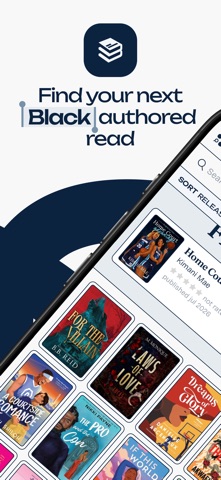
WindowsDen the one-stop for Book Pc apps presents you Blackauthored: Book Tracker by Blackauthored -- Finding books by Black authors shouldn’t be a challenge. So we built Blackauthored—a space designed to help you discover, track, and obsess over your next read.
Because finding one good Black-authored read often leads to needing ten more, Blackauthored helps you:
- Filter by genres, tropes, spice level and more to find exactly the kind of mess you’re craving
- Track books by Black authors that you want to read, are currently reading, have read, or did not finish.
- Explore community-made lists with oddly-specific recommendations that hit the spot
- Discover authors’ catalogs in their recommended reading order because accidentally starting with book 4 is stressful enough
- Rate your reads with decimal precision because sometimes a book is a 4. 5, not a 5
- Stay on top of your reading goals and streaks while pretending you’ve got your TBR under control.
- Become mutuals with readers who put you onto hidden gems before the hype catches on.. We hope you enjoyed learning about Blackauthored: Book Tracker. Download it today for Free. It's only 52.81 MB. Follow our tutorials below to get Blackauthored version 1.1.0 working on Windows 10 and 11.