WindowsDen the one-stop for Photo & Video Pc apps presents you SwapFace AI by Nothern Studio -- Swap any face in seconds with powerful AI.
SwapFace AI lets you change faces, transform styles, try gender swaps, and edit photos instantly. Just choose a picture, pick any detected face, and replace it with a face you upload. Fast, simple, and natural—no complicated tools, no learning curve.
SwapFace AI is built for AI face swap, multi-face swap, gender transformation, face changing, and creative edits that look smooth and realistic.
- AI Face Swap, Made Simple
• Detects all faces in any photo
• Swap one or multiple faces instantly
• Natural AI blending for high-quality results
- Gender Swap & Style Transform
• Try male ↔ female swaps with AI
• Test new looks, expressions, and styles
• Fun, creative, and surprisingly realistic
- Fast, Lightweight & Easy
• One-tap swaps
• Small, optimized app—transform photos in seconds
• Clean and simple design for quick edits on the go
- Why You’ll Love SwapFace AI
• High-resolution results
• No watermarks
• Works with group photos
• Perfect for fun edits, memes, creative projects, and sharing with friends
- Create Something New in Every Photo
Just select → detect → swap.. We hope you enjoyed learning about SwapFace AI. Download it today for Free. It's only 28.46 MB. Follow our tutorials below to get SwapFace AI version 1.3 working on Windows 10 and 11.


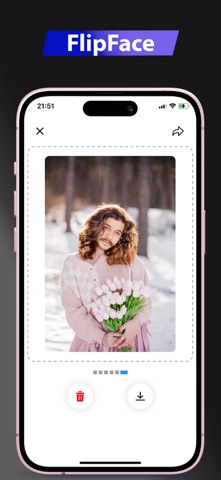

 Auto Face Swap