Lettzy: One Letter Game pc

Download Lettzy: One Letter Game for PC

Published by smak apps

  • License: Free
  • Category: Games
  • Last Updated: 2026-10-13
  • File size: 72.14 MB

  • Compatibility: Requires Windows XP, Vista, 7, 8, Windows 10 and Windows 11

Download ⇩
Users Recommendation:

5/5

5
Based on 2 user votes.

Preview

->  ->  ->  

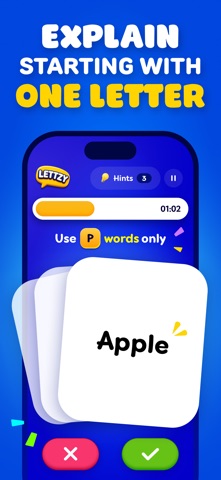
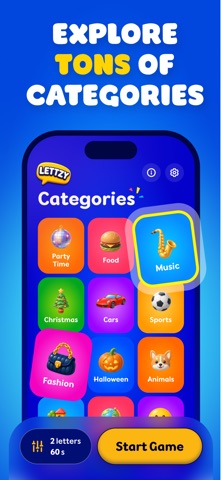
WindowsDen the one-stop for Games Pc apps presents you Lettzy: One Letter Game by smak apps -- Think fast. Explain faster. But here's the catch — you only get a few letters to work with. Meet Lettzy, the party game that turns "just describe the word" into a hilarious tongue-twisting challenge. Pick a category, get 1–3 random letters, and explain the word on your screen using ONLY words that start with those letters. Got the word "pizza" and the letter C.. We hope you enjoyed learning about Lettzy: One Letter Game. Download it today for Free. It's only 72.14 MB. Follow our tutorials below to get Lettzy version 1.2.0 working on Windows 10 and 11.

GET Lettzy for PC


After checking the 💻 Windows AppStore, we found the following Lettzy apps (Available for Direct download):


SN. App Download Developer
1.   Alphabet Matching Game    Download ↲ Whisper Productions, Inc.
2.   Let's Learn Letters Download ↲ Piko
3.   Letter Sounds Song and
Game™
Download ↲ ‪The Critical Thinking Co.‬
4.   Alphabets Game Download ↲ Sumit Dutta
5.   Kids Spelling Game Download ↲ ACKAD Developer


OR


Alternatively, download Lettzy APK for PC (Emulator) below:

Download Lettzy: One Letter Game APK for use on PC

Download Developer Rating Reviews
Lettzy: One Letter Game
Download Apk for PC ↲
smak apps 4.8 1
Lettzy: One Letter Game
GET ↲
smak apps 4.8 1
Word Nut - Word Puzzle
Games

GET ↲
Super Free 4.8 29,684
Spin Letter
GET ↲
TMTsoftware 4.8 3
Last Letter First: Word
Game

GET ↲
Last Letter First 3.1 5
Wordscapes: Word puzzle
game

GET ↲
PeopleFun 4.7 267,690
Game of Words: Word
Puzzles

GET ↲
DreamLoft 4.8 17,126

Follow Tutorial below to use Lettzy APK on PC:

  1. Download an Android App emulator.
    An emulator imitates/ emulates an android device on your computer, making it easy to install and run android apps from the comfort of your PC. We've listed the best below:
    1. Nox »
    2. Bluestacks »

  2. Install the Bluestacks.exe or Nox.exe Software emulator on your Windows PC.

  3. Run Lettzy on PC:
    1. Once installed, open the Emulator app, type Lettzy in the search bar and search.
    2. You will immediately see Lettzy. Open it and click Install. The app will start Installing.
    3. To run the Lettzy app on PC, open Emulator » "All Apps" » Lettzy: One Letter Game.

Get Lettzy on Apple Mac


Download Developer Rating Score
Download Mac App smak apps 2 5


Alternative Games apps

Other Apps from this Developer

keyboard_arrow_up