PlinaRide pc

Download PlinaRide for PC

Published by Garikoitz Gonzalez Motagoiticoa

  • License: Free
  • Category: Sports
  • Last Updated: 2026-08-29
  • File size: 15.63 MB

  • Compatibility: Requires Windows XP, Vista, 7, 8, Windows 10 and Windows 11

Download ⇩
Users Recommendation:

5/5

5
Based on 1 user votes.

Preview

->  ->  ->  

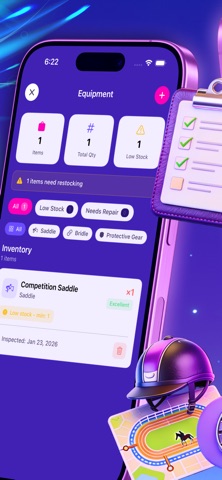
WindowsDen the one-stop for Sports Pc apps presents you PlinaRide by Garikoitz Gonzalez Motagoiticoa -- Manage horses, training, and competitions in one equestrian management app. Designed for horse owners, trainers, and riders, the app helps organize training sessions, monitor horse health, and track competition results. Users can create detailed horse profiles, manage schedules, monitor equipment condition, and analyze performance statistics. The app also includes educational materials, booking tools, reports, and offline access for convenient daily use. .. We hope you enjoyed learning about PlinaRide. Download it today for Free. It's only 15.63 MB. Follow our tutorials below to get PlinaRide version 1.0.1 working on Windows 10 and 11.

Follow Tutorial below to use PlinaRide APK on PC:

  1. Download an Android App emulator.
    An emulator imitates/ emulates an android device on your computer, making it easy to install and run android apps from the comfort of your PC. We've listed the best below:
    1. Nox »
    2. Bluestacks »

  2. Install the Bluestacks.exe or Nox.exe Software emulator on your Windows PC.

  3. Run PlinaRide on PC:
    1. Once installed, open the Emulator app, type PlinaRide in the search bar and search.
    2. You will immediately see PlinaRide. Open it and click Install. The app will start Installing.
    3. To run the PlinaRide app on PC, open Emulator » "All Apps" » PlinaRide.

Get PlinaRide on Apple Mac


Download Developer Rating Score
Download Mac App Garikoitz Gonzalez Motagoiticoa 1 5


Alternative Sports apps

Other Apps from this Developer

keyboard_arrow_up