WindowsDen the one-stop for Utilities Pc apps presents you Friend Tracker: Share Location by Hoang Vixtor -- Stay connected with the people who matter most. Friend Tracker helps you share your live location, create safe zones, mark favorite places, and discover nearby spots all from one simple and secure map.
Whether you are meeting friends, keeping your family safe, or saving places for future reference, Friend Tracker makes location sharing effortless, accurate, and private.
With a focus on simplicity, privacy, and precision, Friend Tracker combines smart location technology with a clean design to help you stay close to the people and places that truly matter.
Real-time location sharing
- See your friends live locations on a clear, interactive map with fast GPS updates
- Control exactly who can see your location and for how long
- View your group or family members in real time to plan meetups or check in easily
- Stay connected during trips, school commutes, or when loved ones are traveling abroad
- Works seamlessly even when switching between Wi-Fi and mobile networks
Safe zones and alerts
- Create custom alert zones around important places such as home, office, or school
- Receive instant notifications when a friend or family member enters or leaves a zone
- Adjust sensitivity and radius to match your needs
- Ideal for parents tracking their kids’ safety, friends watching out for each other, or teams working in the field
- Stay informed without constantly checking the map
My places
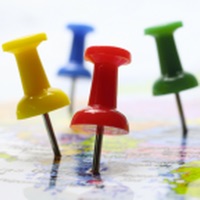
- Add and name pins to remember specific spots like parking lots, meeting points, or your favorite restaurants
- Group and organize saved places for easier navigation later
- Use it as a personal map diary to record where you’ve been and what’s important
- Quickly access saved spots with a single tap from your map view
Nearby places
- Discover useful points of interest around you such as hospitals, schools, ATMs, restaurants, and gas stations
- See detailed information and get instant directions with your preferred navigation app
- Perfect for travel, emergencies, or exploring a new city
- Save the places you find for future reference or share them with friends instantly
Privacy and control
- You decide when and with whom to share your location
- Pause sharing or remove friends at any time
- All location data is protected and used only for features you enable
- No constant tracking in the background when you turn sharing off
- Friend Tracker is built with transparency and user control at its core
Why users love Friend Tracker
- Clean, intuitive, and modern interface that anyone can use easily
- Fast and accurate GPS updates for reliable real-time tracking
- Smart alerts that keep you informed without draining your battery
- Flexible sharing options: temporary, continuous, or zone-based
- Built for both individual users and families
- Optimized for performance and low battery impact
Use Friend Tracker to
- Meet up with friends faster and easier
- Keep loved ones safe when apart
- Stay connected with your travel group or coworkers
- Save favorite places and organize them into categories
- Get notified when someone arrives home or leaves school
- Explore nearby points of interest wherever you are
- Ensure peace of mind when traveling or working remotely
Friend Tracker is designed for people who care about both connection and privacy. It gives you complete control over how you share your world while keeping your data safe.. We hope you enjoyed learning about Friend Tracker: Share Location. Download it today for Free. It's only 174.48 MB. Follow our tutorials below to get Friend Tracker version 1.2.0 working on Windows 10 and 11.

 Share My Location