WindowsDen the one-stop for Food & Drink Pc apps presents you mise - meal planner by TEGS LABS LTD -- mise – meal planner
Take the stress out of deciding what to eat.
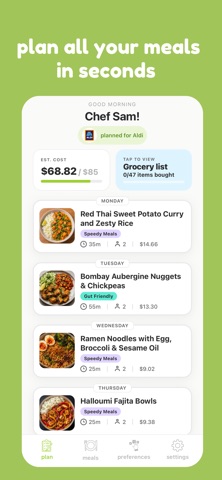
mise helps you generate personalised meal plans in seconds based on your dietary preferences, calorie goals, favourite UK supermarkets, budget, and the ingredients you already have at home.
Whether you're meal prepping for the week, trying to eat healthier, save money on groceries, or simply reduce food waste, mise creates practical meal plans and shopping lists tailored to you.
Features
• Generate personalised weekly meal plans
• Build meals around ingredients already in your kitchen
• Create automatic shopping lists
• Choose from popular UK supermarkets
• Filter by dietary requirements and preferences
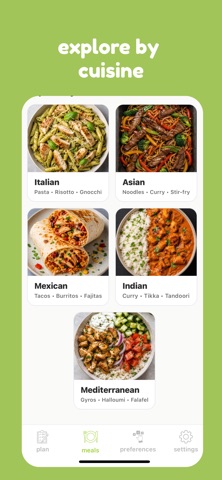
• Discover new recipes and meal ideas
• Save time planning meals each week
• Reduce food waste and unnecessary spending
Subscription Information
mise offers premium access through an auto-renewing subscription.
• 3-day free trial for new users
• Weekly subscription available
• Annual subscription available
Payment will be charged to your Apple ID account upon confirmation of purchase.
Subscriptions automatically renew unless auto-renew is turned off at least 24 hours before the end of the current billing period.. We hope you enjoyed learning about mise - meal planner. Download it today for Free. It's only 64.87 MB. Follow our tutorials below to get mise version 1.1.13 working on Windows 10 and 11.


 Meal Scheduler