WindowsDen the one-stop for Utilities Pc apps presents you IMI Heatmiser NeoApp by Heatmiser UK -- Take complete control of your home heating—anytime, anywhere.
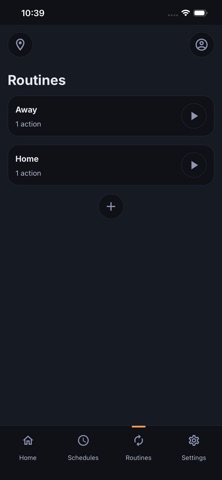
The IMI Heatmiser neoApp gives you simple, reliable control of your heating, hot water, and connected devices from one intuitive app. Whether you’re at home or away, neoApp lets you manage comfort, improve energy efficiency, and keep everything running exactly how you want it.
Designed to work seamlessly with the IMI Heatmiser ecosystem, neoApp connects to neoHub, neoHub Mini, and neoStat WiFi systems—bringing all your smart heating controls together in one place.
Smart Heating, Made Simple
Control your heating the way that suits you:
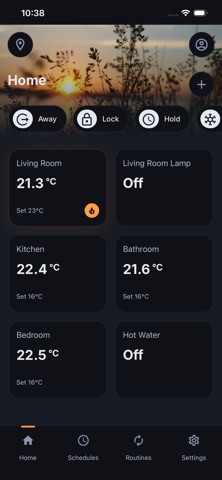
Adjust temperatures instantly from anywhere
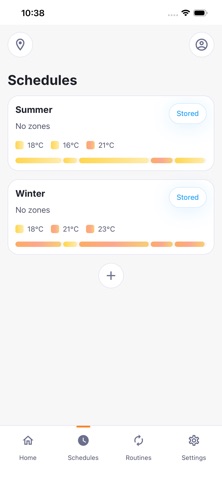
Create and edit heating schedules with ease
Manage multiple rooms or zones independently
Control hot water and connected appliances
With full multi-zone support, neoApp makes it easy to maintain comfort throughout your home while avoiding unnecessary energy use.
Now Supporting Radiator Control
With support for neoFlo, neoApp now extends smart heating control to radiators:
Manage individual radiators alongside underfloor heating
Create a truly room-by-room heating system
Improve comfort with precise temperature control in every space
Whether your home uses radiators, underfloor heating, or a mix of both, neoApp brings everything together into one unified system.. We hope you enjoyed learning about IMI Heatmiser NeoApp. Download it today for Free. It's only 61.90 MB. Follow our tutorials below to get IMI Heatmiser NeoApp version 1.0.3 working on Windows 10 and 11.