WindowsDen the one-stop for Business Pc apps presents you Marvis Client by Mist Systems -- *Marvis Client*
AI-Driven Onboarding & Secure Network Access
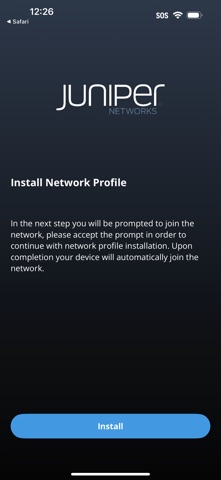
The Marvis Client app is a secure provisioning tool that simplifies how users connect their personal or corporate devices—smartphones, tablets, and laptops—to an organization’s Wi-Fi network.
Designed to work with Juniper Mist Access Assurance, the app enables seamless, certificate-based onboarding with Zero Trust policies and AI-driven network control, all from the Juniper Mist cloud.
*Key Features*
-Automatic installation of secure Wi-Fi profiles and certificates
-Certificate-based authentication (no passwords)
-Works with Juniper Access Assurance for secure policy enforcement
-Supports BYOD, guest, contractor, and employee onboarding
-Automatic renewal of credentials before expiration
-AI-driven troubleshooting and visibility via the Mist platform
*How It Works*
Users receive a provisioning link from their IT administrator. upon successful authentication using SSO Marvis Client handles identity validation, certificate issuance, and Wi-Fi profile configuration. All access is governed by policies defined in the Juniper Mist cloud.
When the app is removed, all installed profiles and certificates are automatically deleted.. We hope you enjoyed learning about Marvis Client. Download it today for Free. It's only 9.12 MB. Follow our tutorials below to get Marvis Client version 1.2.0 working on Windows 10 and 11.