WindowsDen the one-stop for Productivity Pc apps presents you QRco: Scan & Generate QR Code by Qtonz infosoft private limited -- QRco is a powerful, all-in-one app that combines lightning-fast QR code scanning with a feature-rich QR code generator. Easily scan QR codes, create personalized ones, and unlock a world of possibilities at your fingertips.
Key Features:
Blazing-fast scanning of QR codes and barcodes
Support for various QR code and barcode formats
Create custom QR codes with logos, colours, and text
Access ready-to-use QR code templates for different industries
Generate QR codes for websites, social media, Wi-Fi, and more
Customize QR code designs with patterns and eye-catching elements
Download QR codes in popular formats (PNG, JPG, PDF, SVG)
Instantly share QR codes across different platforms
Enjoy a user-friendly interface for effortless navigation
Best QR Code Scanner:
Instantly scan QR codes using your device's camera
Support for various QR code formats and content types
Scan QR codes from your image gallery
View decoded information and take appropriate actions
Free QR Code Generator:
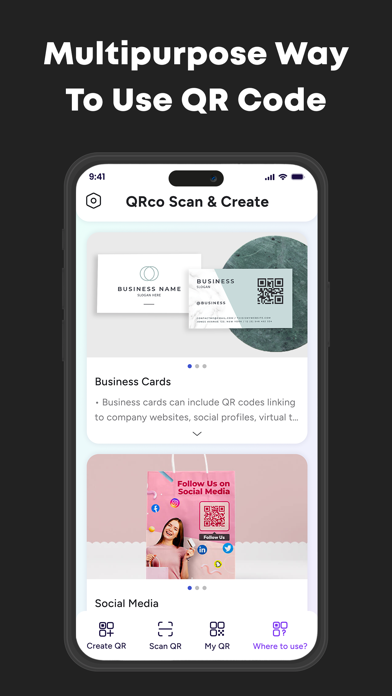
Create QR codes for various purposes (websites, contacts, Wi-Fi, files, social media, business, location, menu lists, payments, ratings & reviews and more)
Choose from a wide range of content QR types
Preview and save your generated QR codes
Customize Your QR Codes:
Choose from a variety of stylish frames to make your QR codes stand out
Personalize QR codes with colours, logos, and patterns
Create visually appealing QR codes that reflect your style or brand
QR Code History:
Easily access your scan history and generated QR codes
Re-launch actions from previously scanned QR codes
Manage your history by deleting entries or filtering by type
QRco offers a seamless and intuitive user experience, combining advanced QR code reader capabilities with powerful QR code creation features and customizable frames. It is the go-to app for all your QR code needs.
Download QRco, the best free QR code scanner and generator app, and unlock the power of personalized QR codes today. .. We hope you enjoyed learning about QRco: Scan & Generate QR Code. Download it today for Free. It's only 123.71 MB. Follow our tutorials below to get QRco version 2.9 working on Windows 10 and 11.


 QR-Code Generator