Death Clock: The Life Lab pc

Download Death Clock: The Life Lab for PC

Published by Most Days

  • License: Free
  • Category: Health & Fitness
  • Last Updated: 2026-08-26
  • File size: 146.74 MB

  • Compatibility: Requires Windows XP, Vista, 7, 8, Windows 10 and Windows 11

Download ⇩
Users Recommendation:

5/5

5
Based on 441 user votes.

Preview

->  ->  ->  

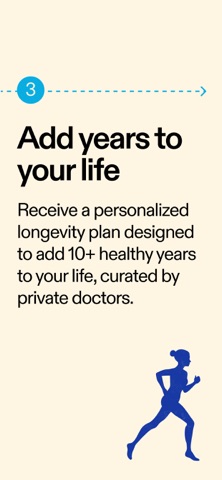
WindowsDen the one-stop for Health & Fitness Pc apps presents you Death Clock: The Life Lab by Most Days -- Death Clock is the #1 app for AI-powered longevity. We'll help you understand the impact of your current habits on your life expectancy and then make changes to live as long a life as possible. We're all going to die. It's just a question of when. Death Clock, powered by AI and backed by science, gives you the cold, hard truth about your lifespan based on your current habits. But don't worry—we'll also tell you how to cheat death for a little longer.. We hope you enjoyed learning about Death Clock: The Life Lab. Download it today for Free. It's only 146.74 MB. Follow our tutorials below to get Death Clock version 4.0.33 working on Windows 10 and 11.

GET Death Clock for PC


After checking the 💻 Windows AppStore, we found the following Death Clock apps (Available for Direct download):


SN. App Download Developer
1.   Monster Clock    Download ↲ ALSEDI Group
2.   Friendly Clock Download ↲ JeffGo
3.   Bullet Clock Download ↲ Binary Banana LLC
4.   DarkClockClock Download ↲ DarkProjekt
5.   Touch Clock Download ↲ TouchPoint HCM Solutions


OR


Alternatively, download Death Clock APK for PC (Emulator) below:

Download Death Clock: The Life Lab APK for use on PC

Download Developer Rating Reviews
Death Clock
Download Apk for PC ↲
Most Days 4.8 9
Death Clock
GET ↲
Most Days 4.8 9
Death Date Calculator
GET ↲
Just4Fun
Entertainment
4.3 85
Countdown to death. I see
you

GET ↲
HWGames 2.6 28
Death Counter
GET ↲
eimon 4.1 6
Death Clock
GET ↲
STANLEY JOTHIRAJ 2.8 93
Death Date Calculator
Life Pre

GET ↲
UniverSL Software 3.8 3

Follow Tutorial below to use Death Clock APK on PC:

  1. Download an Android App emulator.
    An emulator imitates/ emulates an android device on your computer, making it easy to install and run android apps from the comfort of your PC. We've listed the best below:
    1. Nox »
    2. Bluestacks »

  2. Install the Bluestacks.exe or Nox.exe Software emulator on your Windows PC.

  3. Run Death Clock on PC:
    1. Once installed, open the Emulator app, type Death Clock in the search bar and search.
    2. You will immediately see Death Clock. Open it and click Install. The app will start Installing.
    3. To run the Death Clock app on PC, open Emulator » "All Apps" » Death Clock: The Life Lab.

Get Death Clock on Apple Mac


Download Developer Rating Score
Download Mac App Most Days 441 4.76417


Alternative Health & Fitness apps

Other Apps from this Developer

keyboard_arrow_up