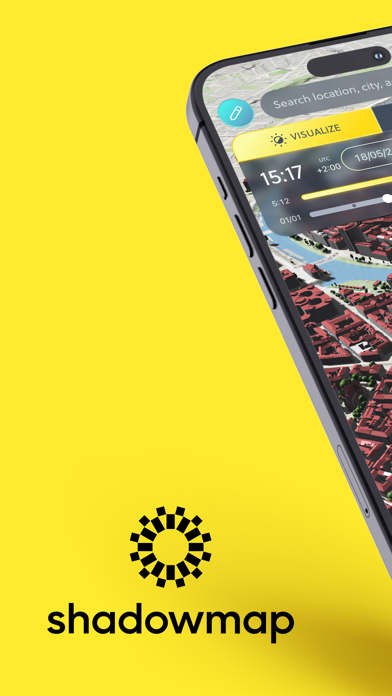
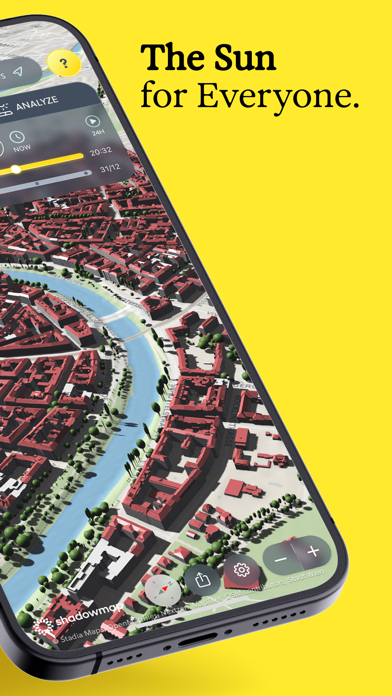
WindowsDen the one-stop for Weather Pc apps presents you Shadowmap: Sunlight & Shade by Shadowmap Technologies GmbH -- Shadowmap shows where the sun shines and where shadows fall – for any rooftop, street, or garden on Earth. Built on global building, tree, and terrain data, it simulates sunlight down to the minute, on any date.
Trusted by realtors, solar professionals, photographers, and anyone planning life around the sun.
WHAT YOU CAN DO
• Find the sunniest home, apartment, or plot
• Optimize solar panel placement & yield
• Scout photo & film locations remotely
• Plan gardens, terraces & outdoor spaces
• Time your day around natural light
WHAT'S NEW
• Major performance update: increased stability and improved UX
• Edit the 3D World – place objects, adjust buildings, share your scene (free)
• Export Solar Data to CSV – run analytics in your spreadsheet or tool of choice
GET STARTED FOR FREE
• Simulate sunlight & shadows
• Explore the global 3D map
• Edit existing 3D buildings and trees
• Place basic 3D objects (cuboids, cylinders, trees)
•. Share your edited 3D scene
Explorer (In-App Purchase):
• Unlock 3D camera view of the Sun
• Change date & time in the future or the past for precise planning
Home (In-App Purchase):
• All Explorer features
• Extended 3D objects (freeform, roofs, trees)
• 14-day global weather and UV forecast, along with historical data
• High-quality 3D maps & extra base maps
• Adjust default building height
• Visualize floor levels on facades
Studio (In-App Purchase):
• Our most advanced offering
• All Explorer + Home features
• Interactive 3D Solar Analytics
• High resolution textured 3D digital twin
• Edit existing 3D buildings and trees
• Create individual shapes & use prefabs
• Upload your own 3D models
• Share & embed your projects anywhere
Shadowmap is an award-winning app:
• APTI Award Winner 2024
• Golden Kitty Awards Finalist 2021
• #3 Product of the Day – Product Hunt
– Download Shadowmap today and connect with the Sun in unprecedented ways.
– Technical support: support@shadowmap.. We hope you enjoyed learning about Shadowmap: Sunlight & Shade. Download it today for Free. It's only 4.96 MB. Follow our tutorials below to get Shadowmap version 2.0.18 working on Windows 10 and 11.


 Match The Shadow
 Sun - Sunrise & Sunset